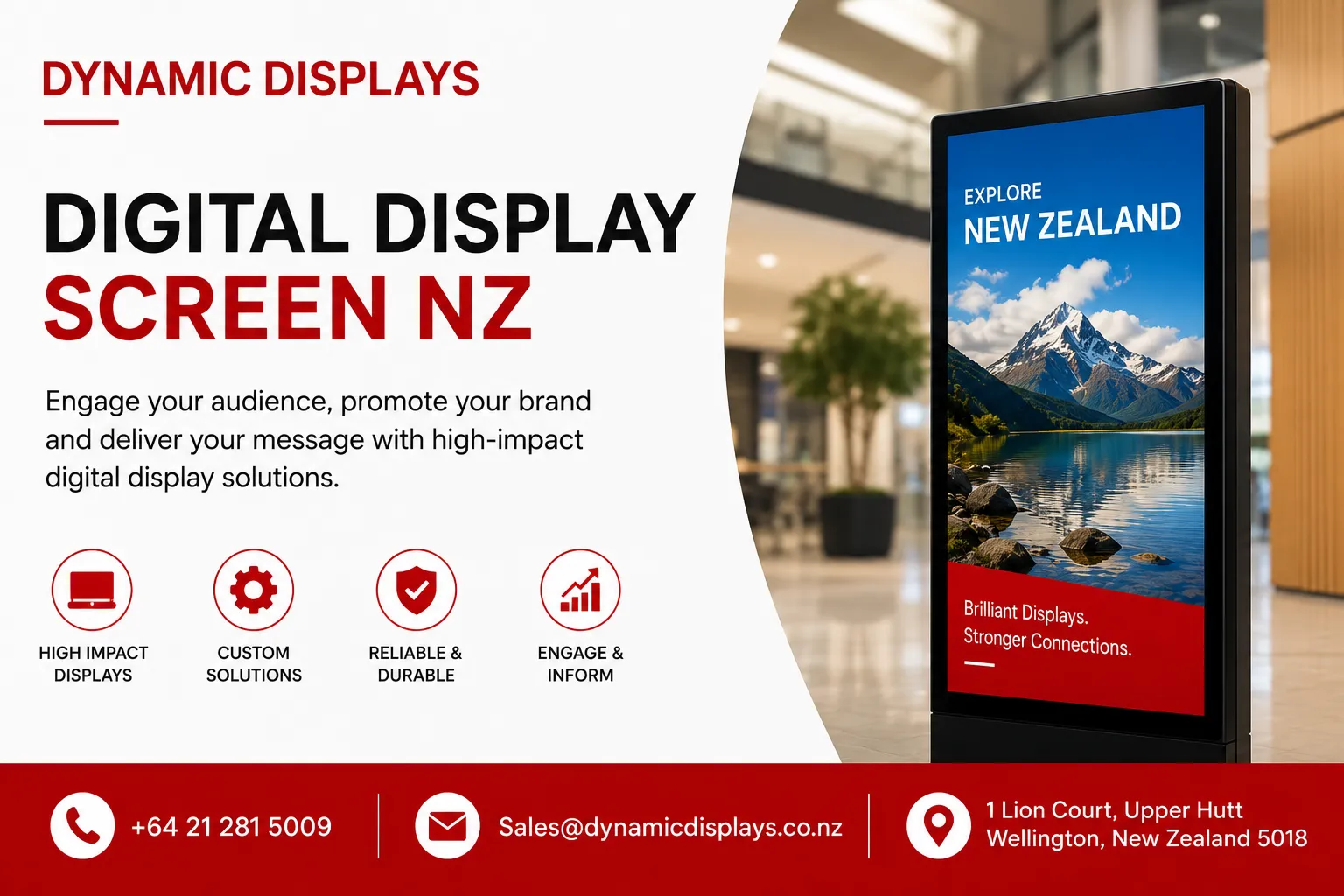
That is the power of a quality digital display screen NZ businesses are increasingly adopting. Whether you operate a retail store in Wellington, a corporate office in Christchurch, or a healthcare facility in Hamilton, digital screens are transforming how organisations communicate.
But what exactly should you look for in a digital display? How do different industries use this technology? And what mistakes should you avoid?
This guide answers all these questions. You will learn about screen types, key features, industry applications, and practical buying considerations. By the end, you will understand exactly what your business needs.
A digital display screen NZ solution is not just about hardware. It is about creating meaningful connections with your audience through compelling visual content.
What Is a Digital Display Screen?
A digital display screen is an electronic visual output device that shows multimedia content such as images, videos, animations, and interactive elements. These screens use technologies like LCD, LED, or OLED to deliver dynamic, engaging content that can be updated remotely and in real time.
Digital display screens differ from traditional static signs in several important ways:
-
They show moving content that captures attention more effectively
-
Content can be updated instantly across multiple locations
-
Different messages can appear at different times of day
-
They can respond to real-time data and events
Think of a digital display as your business's voice in the visual world. It is flexible, engaging, and always current.
Types of Digital Display Screens Available in NZ
Choosing the right digital screen depends on where you plan to use it and what you want to achieve.
Indoor Digital Display Screens
These are the most common type for business applications. Indoor digital displays offer:
-
High resolution for close viewing distances
-
Sleek, professional aesthetics that suit any environment
-
Lower brightness requirements because ambient light is controlled
-
Screen sizes ranging from 32 inches to 86 inches and larger
Indoor screens work well in retail stores, corporate offices, healthcare facilities, and hospitality venues.
Outdoor Digital Display Screens
New Zealand's weather demands robust solutions. Outdoor digital screens feature:
-
High brightness, often 2,500 nits or more, to combat direct sunlight
-
Weatherproof and dustproof casings
-
Temperature control systems to manage heat and cold
-
Anti-glare technology for better visibility
The New Zealand market has seen significant growth in outdoor displays, driven by demand for high-impact visual communication across retail, education, healthcare, and corporate sectors .
Interactive Digital Display Screens
Interactive displays are gaining popularity across New Zealand. The interactive display market is witnessing significant growth driven by increasing adoption in education, corporate, and retail sectors .
These screens offer:
-
Touchscreen functionality for direct interaction
-
Engagement through gesture control and interactive whiteboards
-
Enhanced collaboration in meeting rooms and classrooms
-
Self-service kiosk capabilities
Fine Pixel Pitch LED Displays
For applications requiring exceptional image quality, fine pixel pitch LED displays deliver superior visual experiences. These are used in control rooms, boardrooms, broadcast screens, and high-end retail environments .
The market is seeing a shift towards fine pixel pitch LED displays due to their superior image quality, energy efficiency, and seamless integration capabilities .
Key Benefits of Digital Display Screens
Enhanced Customer Engagement
When you implement digital signage, you are not just replacing static signs. You are creating an interactive experience. Moving content captures attention far more effectively than printed materials. Video and animation naturally draw the eye, making your messages harder to ignore.
Real-Time Flexibility
One of the greatest advantages of digital displays is the ability to update content instantly. Promote breakfast items in the morning, switch to lunch specials at noon, and advertise evening events by 5 PM. No printing, no waste, no delays.
Cost-Effectiveness Over Time
While the initial investment in a digital display screen NZ solution may seem significant, the long-term savings are substantial. Consider these factors:
-
No ongoing printing costs
-
No installation fees for new campaigns
-
Reduced waste and environmental impact
-
Ability to reuse content across multiple screens
Environmental Benefits
Businesses today are increasingly conscious of their environmental impact. Digital screens eliminate the paper and ink waste associated with traditional signage. The New Zealand government is reviewing regulations for electronic displays, including televisions, computer monitors, and digital signage displays, with a focus on Minimum Energy Performance Standards . This reflects the growing importance of energy efficiency in display technology.
Multi-Purpose Functionality
A single digital display can serve multiple functions:
-
Advertising products and services
-
Providing wayfinding information
-
Displaying real-time data and metrics
-
Sharing company announcements
-
Entertaining waiting customers
Key Features to Look For in a Digital Display
Resolution and Image Quality
Higher resolution screens deliver sharper images. For close viewing distances, 4K resolution is recommended. For larger screens viewed from farther away, Full HD may be sufficient.
Brightness Levels
Brightness is measured in nits. Indoor screens typically need 400-800 nits. Outdoor screens require 2,500 nits or more to remain visible in direct sunlight. The display market segments brightness into categories including below 500 nits, 501-1,000 nits, 1,001-2,000 nits, 2,001-3,000 nits, and above 3,001 nits .
Viewing Angle
Wider viewing angles ensure content remains visible from different positions. This is particularly important for public spaces where people approach screens from various directions.
Durability and Reliability
Commercial-grade displays are built for 24/7 operation. They use higher-quality components than consumer televisions. For New Zealand businesses, reliability is crucial. Choose screens with proven track records and consider warranty coverage.
Connectivity Options
Modern digital screens should connect easily with your existing infrastructure:
-
Wi-Fi and Ethernet connectivity
-
Support for USB and SD card updates
-
Integration with cloud-based content platforms
-
Compatibility with various content formats
Content Management Software
The heart of any digital signage system is the software. Look for:
-
Intuitive interfaces that do not require technical expertise
-
Scheduling capabilities for different content at different times
-
Support for multiple media types including videos, images, and HTML
-
Remote management across all screens
Industry Applications Across New Zealand
Retail Digital Signage
New Zealand's retail sector has embraced digital signage enthusiastically. The retail digital signage market in New Zealand is growing steadily, driven by demand for high-resolution displays in malls, grocery stores, and retail chains .
Key applications include:
-
Digital menu boards for cafes and restaurants
-
Product information displays
-
Promotional content showcasing new arrivals
-
Wayfinding assistance in large shopping centres
Healthcare Digital Signage
Medical facilities across New Zealand use digital signage to streamline operations and improve patient experience:
-
Digital wayfinding for hospital navigation
-
Patient education and health information
-
Real-time updates on wait times and appointment status
-
Staff communication and emergency alerts
The interactive display market shows strong growth in the healthcare sector, where interactive screens enhance patient engagement and staff collaboration .
Corporate and Office Spaces
The corporate sector benefits from digital displays in office environments:
-
Meeting room scheduling displays
-
Employee recognition and internal communications
-
Visitor information and company branding
-
Real-time business metrics and performance dashboards
The shift towards remote work and virtual meetings has created demand for interactive displays with video conferencing capabilities .
Hospitality and Tourism
Hotels, restaurants, and entertainment venues leverage digital displays to enhance guest experience:
-
Digital menu boards that adapt to different dayparts
-
Event information and promotion displays
-
Guest welcome and property information
-
Live social media feeds showcasing customer experiences
Education
Schools and universities are significant adopters of digital display technology. Interactive displays in classrooms enhance engagement and improve learning outcomes . Digital signage is also used for campus wayfinding, event promotion, and emergency communications.
Public Information and Emergency Communications
Digital displays serve critical public safety functions. A recent initiative between NEMA and MetService uses digital billboards across New Zealand to display real-time severe weather warnings . When an area is under MetService Red or Orange Severe Weather Warnings, digital billboards display these warnings alongside safety messaging .
This builds on findings from the 2023 North Island Severe Weather Events, which emphasised the importance of timely and proactive public communication .
How Digital Display Screens Work
The Technology Stack
A typical digital signage system includes three main components:
-
Display Hardware: The physical screen, whether LCD, LED, or OLED
-
Media Player: The device that stores and processes content
-
Content Management System (CMS): The software for creating, scheduling, and distributing content
Content Creation and Management
Content is created using various tools, from simple presentation software to sophisticated video editing applications. The content is then uploaded to the CMS, where you schedule when and where it should appear.
Real-Time Updates
Modern digital signage systems can pull in live data feeds, enabling:
-
Weather updates
-
News headlines
-
Social media integration
-
Real-time inventory information
Common Mistakes and How to Avoid Them
Mistake 1: Content Overload
From projects I have been involved with, the most common mistake is trying to show too much information at once. When screens are cluttered, viewers cannot process anything effectively.
The Fix: Focus on one key message per screen. Use the 3-second rule. If viewers cannot understand your message in three seconds, it is too complex.
Mistake 2: Poor Screen Placement
Where you place your digital display matters enormously. A screen in the wrong location will not get seen, regardless of how compelling the content is.
The Fix: Consider natural sightlines. Where do people pause? What catches their attention naturally? Position screens at eye level in high-traffic areas.
Mistake 3: Insufficient Brightness
One mistake I often see is businesses using indoor screens outdoors. In New Zealand's bright sunlight, these screens become invisible.
The Fix: For outdoor applications, specify screens with at least 2,500 nits of brightness. For semi-outdoor areas under cover, 1,500 nits may suffice .
Mistake 4: Forgetting Maintenance
Digital signage systems need regular attention. Many businesses invest in great systems, only to neglect firmware updates and hardware maintenance.
The Fix: Establish a regular maintenance schedule. Work with a provider that offers reliable after-sales support and quick troubleshooting.
Mistake 5: Ignoring Content Strategy
Technology alone will not deliver results. Your digital signage strategy must include a plan for creating fresh, relevant content.
The Fix: Plan your content calendar before installing screens. Consider who will create content, how often it will be updated, and what metrics you will use to measure success.
Buying Considerations for Digital Display Screens
Assess Your Needs First
Before researching digital signage solutions, answer these questions:
-
What are you trying to achieve? (information, advertising, entertainment?)
-
Where will screens be located? (indoors or outdoors?)
-
Who is your target audience?
-
What kind of content will you show?
-
How often will content need updating?
Consider Total Cost of Ownership
The initial purchase price represents only part of the total cost. Factor in:
-
Installation costs
-
Ongoing software subscriptions
-
Content creation costs
-
Maintenance and support
-
Potential hardware replacements
The New Zealand digital signage market is projected to grow at a steady rate, with increasing adoption across commercial, retail, healthcare, and education sectors . This growth reflects the value businesses place on these solutions.
Evaluate Content Management Needs
Different businesses need different content management capabilities:
-
A single restaurant needs simple menu rotation
-
A retail chain requires multi-location synchronisation
-
A corporate office might need integration with existing systems
Review Installation Requirements
Digital signage installation involves more than mounting a screen. Consider:
-
Power requirements and cabling
-
Network connectivity
-
Structural integrity for mounting
-
Safety compliance
Check Regulatory Compliance
In New Zealand, electronic displays including digital signage are subject to various regulations. The government is reviewing Minimum Energy Performance Standards and Mandatory Energy Performance Labelling requirements for electronic displays . Energy efficiency is becoming an increasingly important consideration.
New Zealand-Specific Considerations
Local Weather Conditions
New Zealand's climate presents unique challenges for outdoor displays. Consider:
-
High humidity in coastal areas
-
Heavy rainfall
-
Temperature fluctuations
-
Strong winds in exposed locations
Local Support and Service
When choosing a display provider, consider those with local presence in New Zealand. This ensures:
-
Faster response times for service issues
-
Understanding of local business needs
-
Compliance with New Zealand standards
-
Hands-on support when needed
Sustainability Focus
New Zealand businesses and consumers value sustainability. Energy-efficient displays align with this priority. The EECA (Energy Efficiency and Conservation Authority) is actively involved in setting standards for electronic displays .
How Dynamic Displays Can Help
Based in New Zealand, Dynamic Displays specialises in providing complete display solutions tailored to your specific requirements. With extensive experience in the display industry, they understand what businesses need to succeed.
Dynamic Displays offers:
-
Professional design and deployment of display systems
-
Full setup and installation services
-
Custom solutions for unique requirements
-
Ongoing maintenance and support
Their team understands New Zealand's unique business environment and will work with you from initial consultation through to ongoing support. Whether you need a single retail display or a comprehensive multi-location solution, Dynamic Displays provides the expertise and local knowledge you need.
Conclusion
Digital display screens are transforming how businesses in New Zealand communicate with customers, staff, and the public. From enhancing customer experience in retail to improving efficiency in healthcare, the applications are vast and growing.
The key to success lies in choosing the right digital display screen NZ solution for your needs. Consider your content strategy, audience, and location carefully. Avoid common mistakes like overloading screens or choosing insufficient brightness.
Dynamic Displays brings years of experience to help you navigate these decisions. Their local expertise ensures you get a solution that works in New Zealand's unique environment.
Your next step is to consult with professionals who understand both the technology and your business needs. Reach out to Dynamic Displays today to explore the possibilities for your organisation.