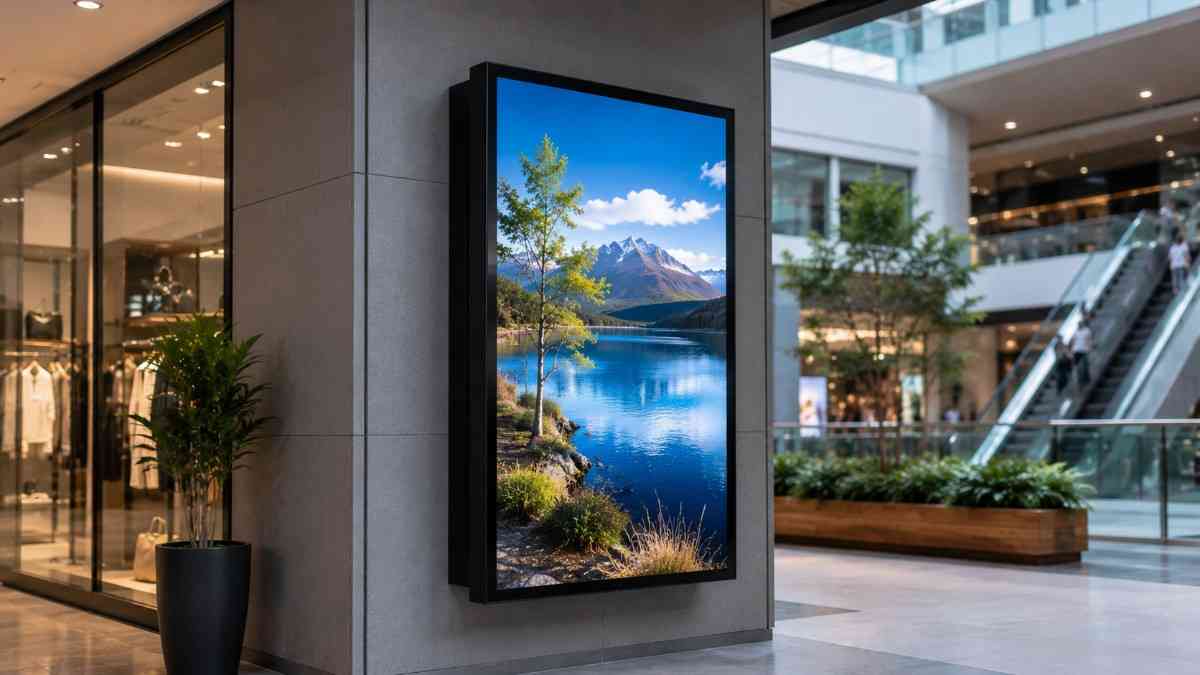
This guide gives you the full picture. From how LCD signage display technology actually works, to which types suit which environments, to the specifications that genuinely matter for New Zealand business conditions. Whether you are buying your first screen or upgrading an existing installation, this is the information you need before spending a dollar.
What Is an LCD Signage Display and How Does It Differ from a Regular Screen
LCD stands for Liquid Crystal Display. It is the underlying panel technology used in the vast majority of flat commercial screens. The panel works by manipulating liquid crystals positioned between layers of glass, with a backlight source illuminating the image from behind.
What makes a commercial LCD signage display fundamentally different from a consumer television is not the panel technology itself. It is everything built around that panel.
Commercial screens are engineered for continuous operation, often running sixteen to twenty-four hours per day, seven days a week. They include better thermal management to prevent overheating under sustained use, higher brightness outputs for visibility in ambient light conditions, commercial-grade warranties covering business-hours or full-time use, and remote management features that allow operators to control and monitor screens from a central system.
According to the Digital Signage Federation, commercial displays last on average three to four times longer than consumer screens in equivalent operating conditions. That is a significant difference in total lifetime value, especially when installation costs are factored into the equation.
When I tried substituting a consumer television in a retail window display for a client who wanted to save on the initial outlay, the screen was visibly washed out by mid-morning whenever the sun hit the window. It was replaced with a proper commercial LCD signage display within six weeks. The lesson was expensive and entirely avoidable.
How LCD Signage Display Technology Works in Practice
Understanding the basics helps you evaluate specifications with confidence rather than relying entirely on what a salesperson tells you.
Backlight Technology
Most modern commercial LCD displays use LED backlighting, which is more energy-efficient, thinner, and capable of higher brightness than older fluorescent backlighting systems. Edge-lit panels have LEDs around the perimeter, while direct-lit and full-array panels have LEDs distributed behind the entire panel surface.
For signage applications, brightness and uniformity matter more than the backlight configuration itself. What you want is consistent, even illumination across the full screen area without visible hotspots or dimming at the edges.
Resolution and Image Quality
Full HD at 1920 by 1080 pixels remains the standard for most commercial signage applications and delivers sharp, professional visuals at typical viewing distances. For larger format screens viewed at close range, 4K resolution at 3840 by 2160 pixels provides noticeably better clarity and is worth considering for screens above 65 inches in environments where viewers are within two to three metres.
Resolution is genuinely important in signage contexts because poorly resolved images of food, products, or brand visuals actively undermine the professional impression you are trying to create.
Brightness Specifications
Brightness is measured in nits. This is one of the most important specifications for any LCD signage display deployment, and it is directly tied to the ambient light conditions in your environment.
A standard consumer television typically outputs 250 to 400 nits. An indoor commercial display operates in the range of 500 to 700 nits. High-brightness indoor displays used near windows or in bright retail environments go to 1000 to 1500 nits. Outdoor or semi-outdoor displays require 2500 nits at minimum, with direct-sun locations needing 3500 nits or above.
Getting brightness right is not about buying the highest number available. It is about matching the specification to the environment where the screen will operate.
Types of LCD Signage Display for Business Use
Different applications require different products. Here is a clear breakdown of the main categories and where each one fits.
Standard Indoor Commercial Displays
These are wall-mounted or stand-mounted commercial screens designed for controlled indoor environments. They suit retail floors, corporate lobbies, meeting rooms, waiting areas, corridors, and hospitality venues where ambient light is managed.
Standard indoor commercial displays are the most widely used category in business signage and offer the best combination of image quality, operational reliability, and value for typical indoor applications. They are available in portrait and landscape orientation and in a wide range of screen sizes from 32 inches to 98 inches and beyond.
High-Brightness Window and Semi-Outdoor Displays
Positioned in shop windows or in covered outdoor areas such as awnings, verandas, or canopies, these displays need significantly higher brightness to remain visible during daylight hours. The screen faces outward through the window glass or is exposed to ambient outdoor light conditions without being fully weatherproofed.
I have noticed that many businesses underestimate how much light a north-facing window admits during the middle of the day in New Zealand. A screen that looks bright and clear during setup in the early morning can look completely washed out by noon. Specifying adequate brightness for the actual worst-case lighting condition is essential.
Outdoor Weatherproof LCD Displays
Fully outdoor LCD signage displays are sealed against weather ingress, rated at IP65 or higher, and built with thermal management systems to handle the temperature extremes of outdoor environments. They are used for building-mounted exterior displays, freestanding kiosk installations, drive-through menu boards, and public information displays.
Dynamic Displays carries a range of outdoor-rated LCD signage display options engineered for New Zealand's specific outdoor conditions, including coastal environments where salt air accelerates corrosion on hardware not built to withstand it.
Double-Sided LCD Signage Displays
Double-sided displays present screens on both faces of a single unit, typically mounted from the ceiling or on a floor stand. They are designed for environments where viewers approach from multiple directions, such as retail store aisles, shopping mall common areas, airport corridors, and exhibition spaces.
The operational efficiency of a double-sided unit is compelling. One media player can drive both screens, content can be synchronised or independently programmed for each face, and the visual impact from both directions is substantially greater than a single-sided display positioned at an angle.
Stretched and Non-Standard Format Displays
Stretched LCD displays use an elongated aspect ratio, typically around 32 to 9, to create a shelf-edge or banner-format display that fits into spaces a standard widescreen panel cannot. They are used in retail shelf-edge applications, above-door installations, and architectural contexts where a standard screen format would look out of proportion.
These are niche products but genuinely useful in the right context. In my experience, stretched displays in retail environments generate strong customer curiosity and engagement precisely because the format is unexpected and eye-catching.
Key Specifications to Evaluate When Buying an LCD Signage Display
Here is a consolidated checklist of the specifications that actually matter for business signage decisions:
- Brightness in nits: match to the ambient light level of the deployment environment
- Operating hours rating: confirm the screen is rated for the daily hours you intend to run it
- IP rating for outdoor or semi-outdoor use: IP65 minimum for any outdoor exposure
- Panel resolution: Full HD for most applications, 4K for large format or close-viewing-distance screens
- Connectivity options: HDMI, DisplayPort, USB, LAN, and wireless capability for content management
- Orientation support: confirm the screen supports portrait mode if you intend to use it vertically
- Remote management capability: essential for multi-screen networks or locations where physical access is inconvenient
- Warranty terms: commercial warranties should cover the operating hours you plan to use, not just a calendar period
That last point is worth emphasising. A three-year warranty sounds reassuring until you discover it only covers four hours of daily operation and you are running the screen for twelve. Always clarify what the warranty actually covers before committing.
Where LCD Signage Displays Are Used Across Different Industries
The range of business contexts where LCD signage display technology adds genuine value is broad.
Retail
Retail is the largest single market for commercial LCD displays. Window displays, in-store promotional screens, product demonstration displays, point-of-purchase screens, and digital price boards all use LCD signage technology. The ability to update promotional content instantly and schedule it in advance is a significant operational advantage over printed alternatives.
Hospitality
Restaurants, cafes, bars, and hotels use LCD signage displays for digital menu boards, promotional screens, event information displays, and wayfinding. The visual quality of food photography on a well-calibrated commercial LCD screen is far superior to printed menus and directly influences customer purchasing decisions.
Corporate and Commercial Offices
Corporate environments use LCD displays for lobby information screens, internal communications displays, meeting room booking panels, wayfinding directories, and executive briefing room presentation systems. Dynamic Displays has installed corporate display systems across the Wellington and Auckland commercial property sectors, and the consistent outcome is a measurable improvement in how professional and organised those environments feel to visitors and staff alike.
Healthcare
Medical centres, hospitals, and specialist clinics use LCD signage displays for patient information, wayfinding, appointment management, and health communication campaigns. The ability to update information centrally across a large facility without printing is particularly valuable in healthcare settings where information changes frequently.
Education
Schools, tertiary institutions, and training providers use LCD displays for campus wayfinding, timetable and event information, student communications, and reception area displays. The digital format allows content to be managed centrally by administrative staff without requiring technical expertise.
How to Choose the Right LCD Signage Display Provider in NZ
The provider relationship matters as much as the product. A good LCD signage display provider does several things that a generic equipment supplier does not.
They start with a site assessment, not a product catalogue. They ask about your environment, your operating hours, your content management requirements, and your installation constraints before recommending anything. They specify hardware that is genuinely suited to your situation rather than defaulting to whatever margin is most attractive for them.
They offer local installation by people who know what they are doing. Mounting a commercial display correctly, managing cables professionally, and configuring the media player and content management system for your specific workflow requires practical experience that a courier-and-collect supplier cannot provide.
And they support you after installation. Questions come up. Software updates happen. Occasional issues need attention. A local provider who responds quickly and knowledgeably is worth considerably more than the upfront saving from a supplier with no local presence.
Choosing the right LCD signage display for your business is genuinely worth doing carefully. The screen you install today will be working for your business for years, and the difference between a well-specified commercial installation and a compromised one is visible every single day.
If you are ready to get specific about what will work best in your environment, the team at Dynamic Displays offers site assessments and tailored recommendations for businesses across New Zealand.